
A time-budgeting app
Spend your time like you mean to.
Give each part of your life a weekly time budget, log sessions against it, and see how the week really went.

The idea
Not all time is created equal.
Every goal in Untime is one of two kinds.
Grow
Things you want to tend more often. The budget is a target to reach.
Set aside 3 hours a week
Reduce
Things you would rather let fade. The budget is a ceiling to stay under.
Keep it to 2 hours a week
How it works
A small loop, repeated weekly.
Step 1
Pick a goal
Name the parts of your life that deserve time, and give each a weekly budget.
Step 2
Run a session
Tap start when you begin. The timer keeps count until you stop.
Step 3
Reflect on the week
Statistics show where the hours really went, so next week's budget gets smarter.
then the week resets, and the loop begins again.
Sessions
Time it as it happens, or after.
Tap play on any goal and a live timer starts. One session runs at a time. Forgot to start it? Log the session by hand afterwards.
- One tap to startStart a session from any goal and watch the minutes tick over.
- Edit or log manuallyAdjust start and end times, reassign a session, or add one after the fact.
- Live Activity on iOSThe running session sits on your lock screen and Dynamic Island.
Overview
The week, at a glance.
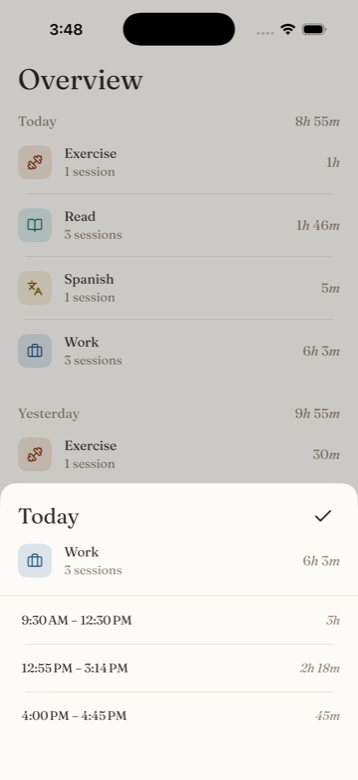
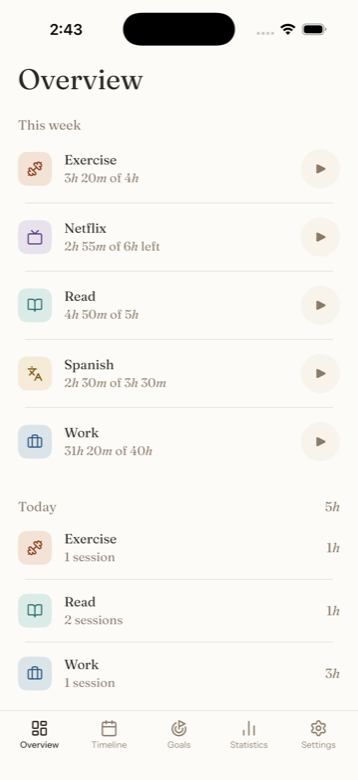
Every goal with its time so far against its weekly budget: what's done, what's left, and a play button to keep going. Below it, the days roll up one by one.
- Budgets in plain sight2h 15m of an 8h target reads as 5h 45m left.
- Daily rollupsToday, yesterday, and the days before, each with per-goal time.
Timeline
Your day on a 24-hour grid.
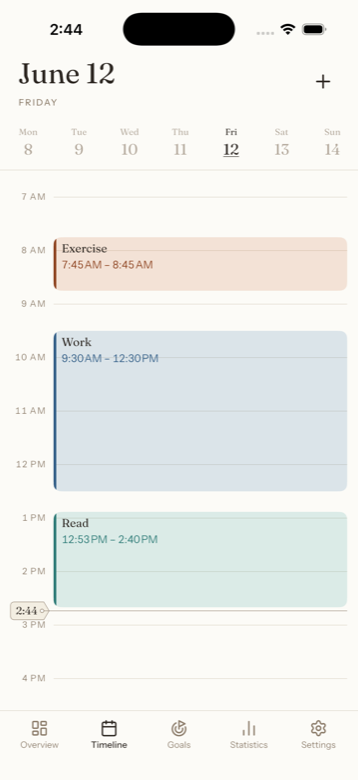
Every session laid out hour by hour. Drag to move, pull the handles to resize, tap to add. The running session grows on the grid as time passes.
- Swipe between daysMove through your history a day at a time, or jump via the calendar.
- Direct manipulationSessions move and resize right under your finger.
Statistics
Where the week actually went.
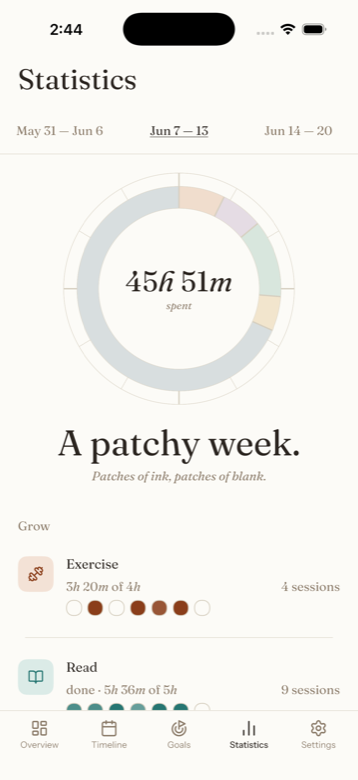
A donut of the week's time, one slice per goal, with a 7-day breakdown for each. Grow and Reduce sit side by side, so intention meets evidence.
- Weekly donutEach goal's share of the week, sized by the time it received.
- Per-goal barsSeven days of time per goal, with session counts alongside.
Begin tending your time.
Grow what matters, let the rest fade today.